
Adaptive Color Engine: The Beta Is Here – Try It Free for 14 Days
- SMotographers
- Software , News
- October 7, 2026
Table of Contents
Beta · Lightroom Classic plug-in
Film-like color.
Free for 14 days.
We’ve spent the past months building our own Lightroom plug-in, and now you can try it: the Adaptive Color Engine (ACE) beta is here.
0 CHF · Download and license key by email
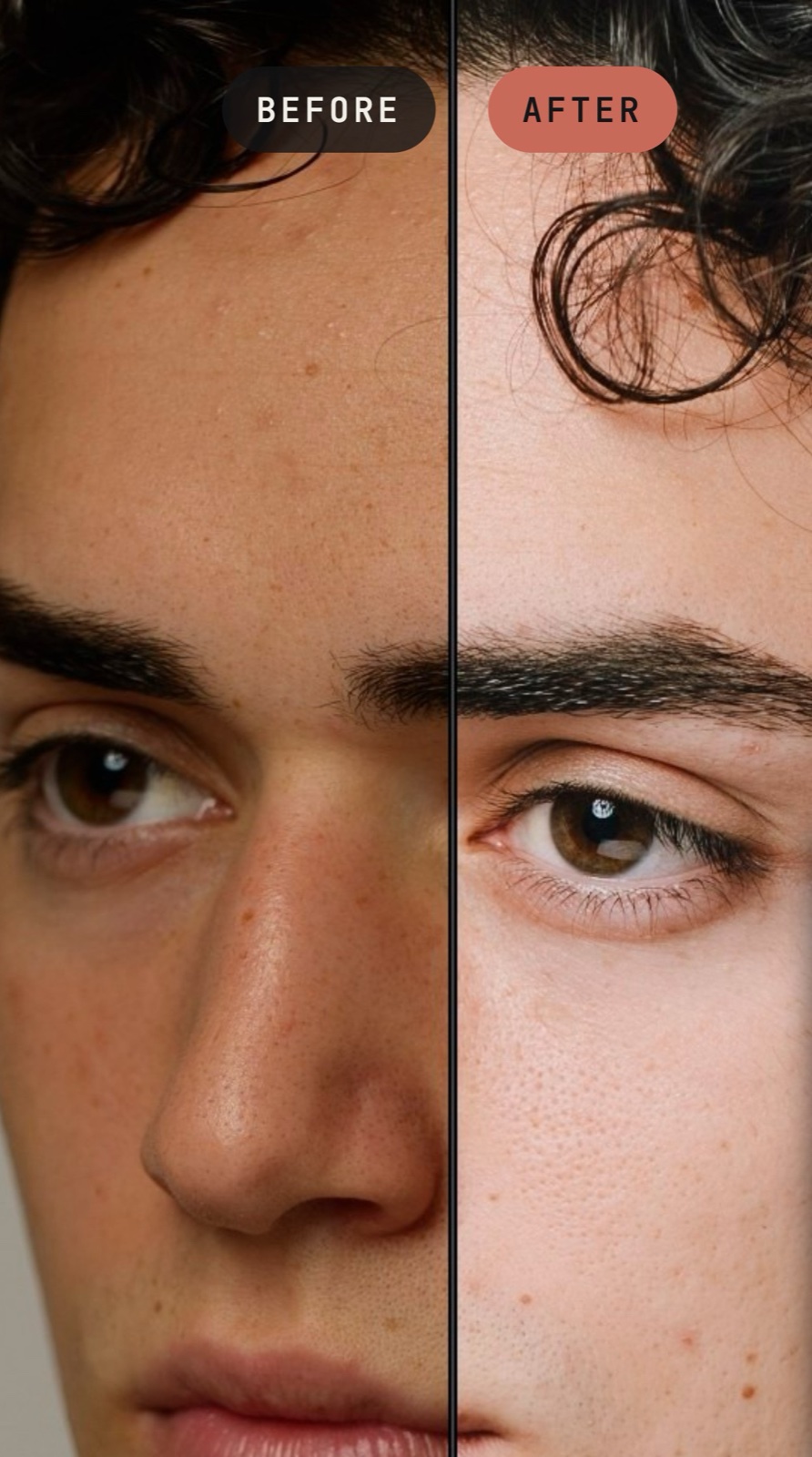
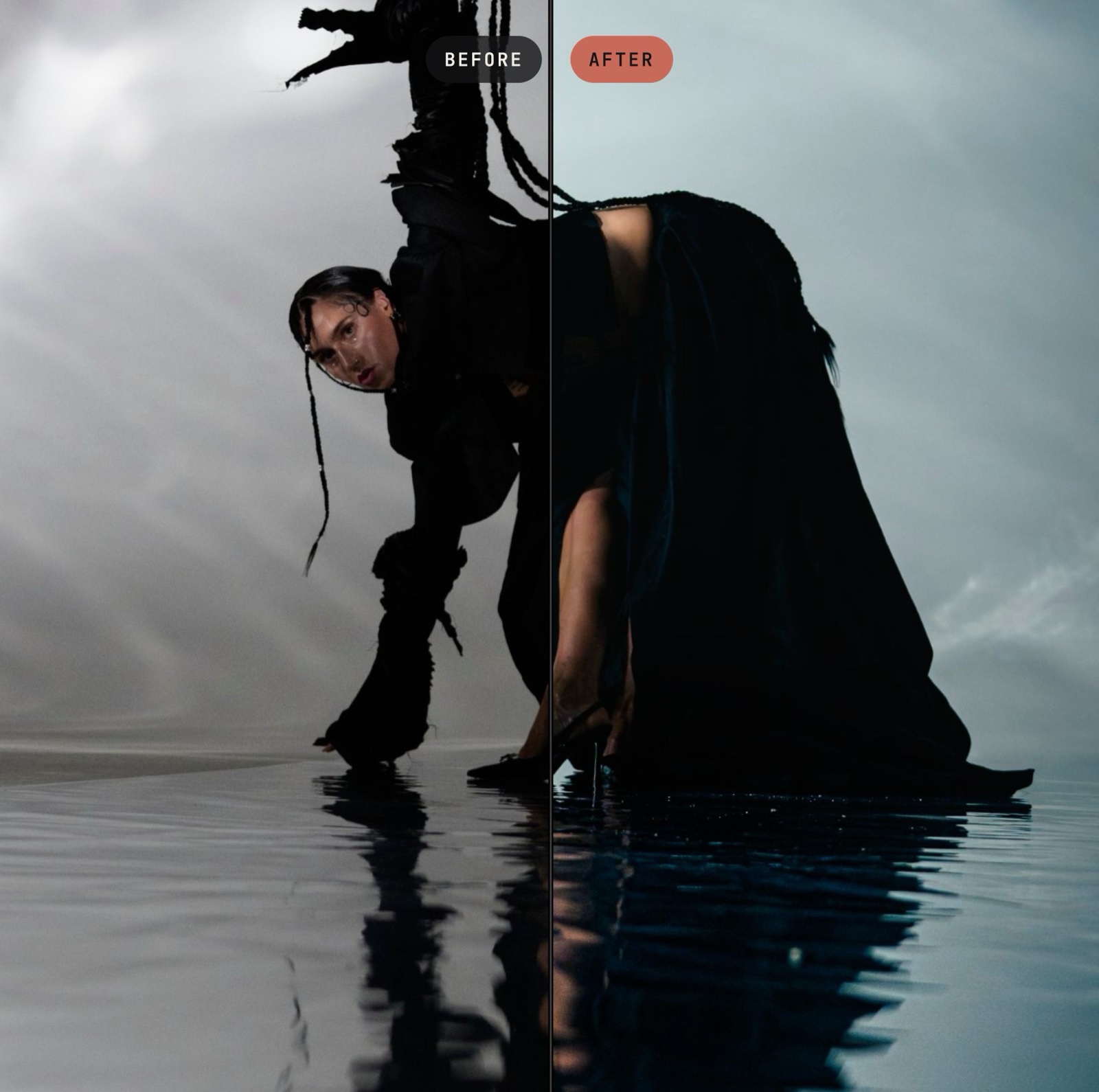
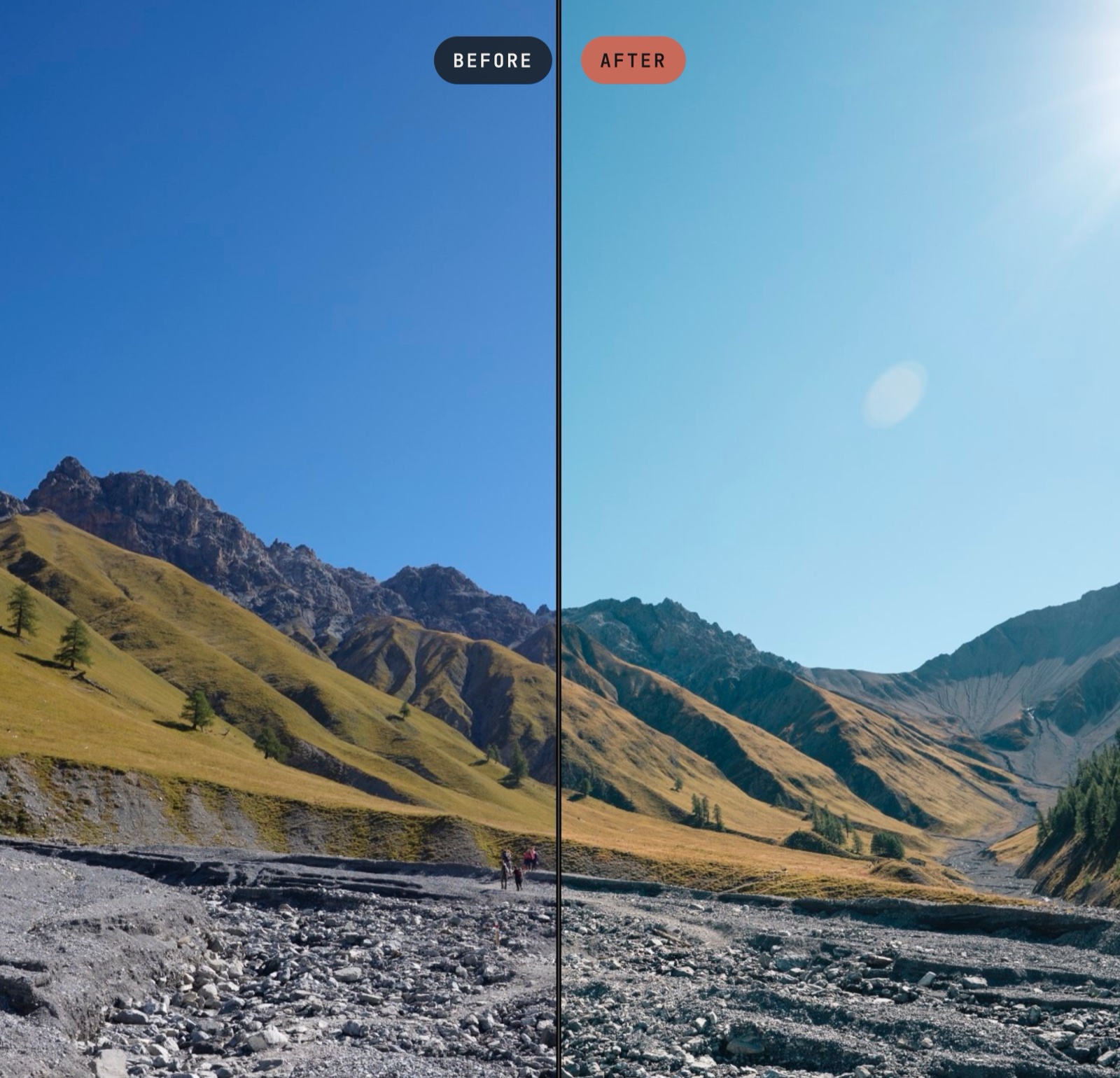
Before · After
One engine.
Every shoot.
Portraits, fashion or landscapes: move one color and its neighbors follow, the way film does.
01 · Color wheel
Colors that
move together.
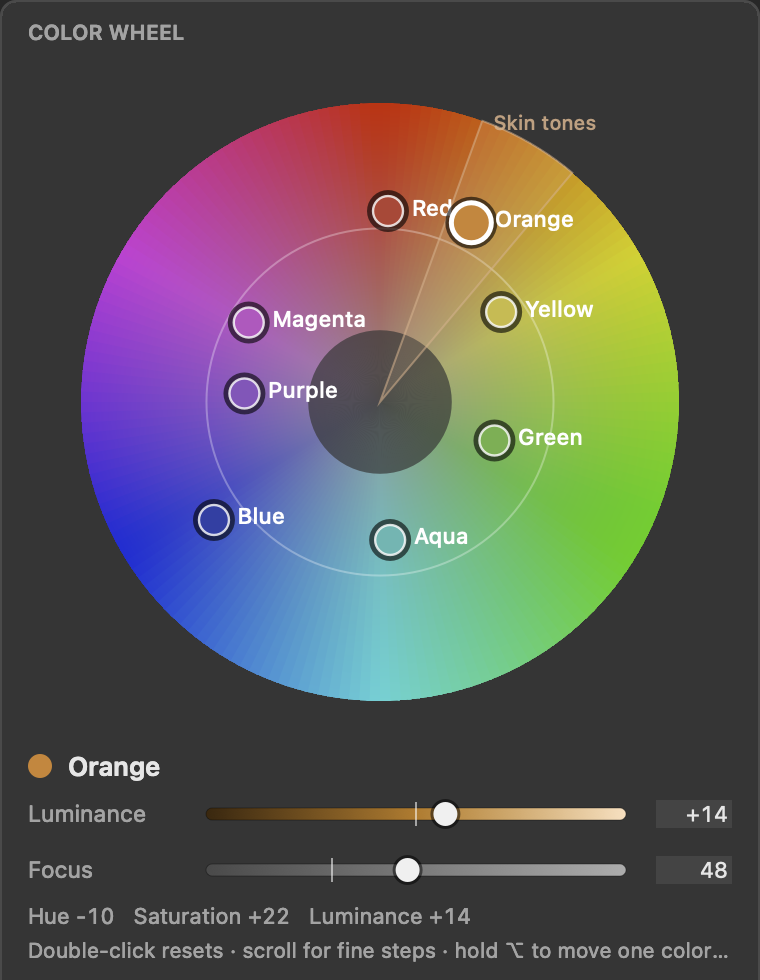
Lightroom’s HSL panel treats every color on its own. Push Orange toward Yellow and Red and Yellow stay where they are, which is exactly where color breaks and blotchy skin appear. On film, colors are connected.
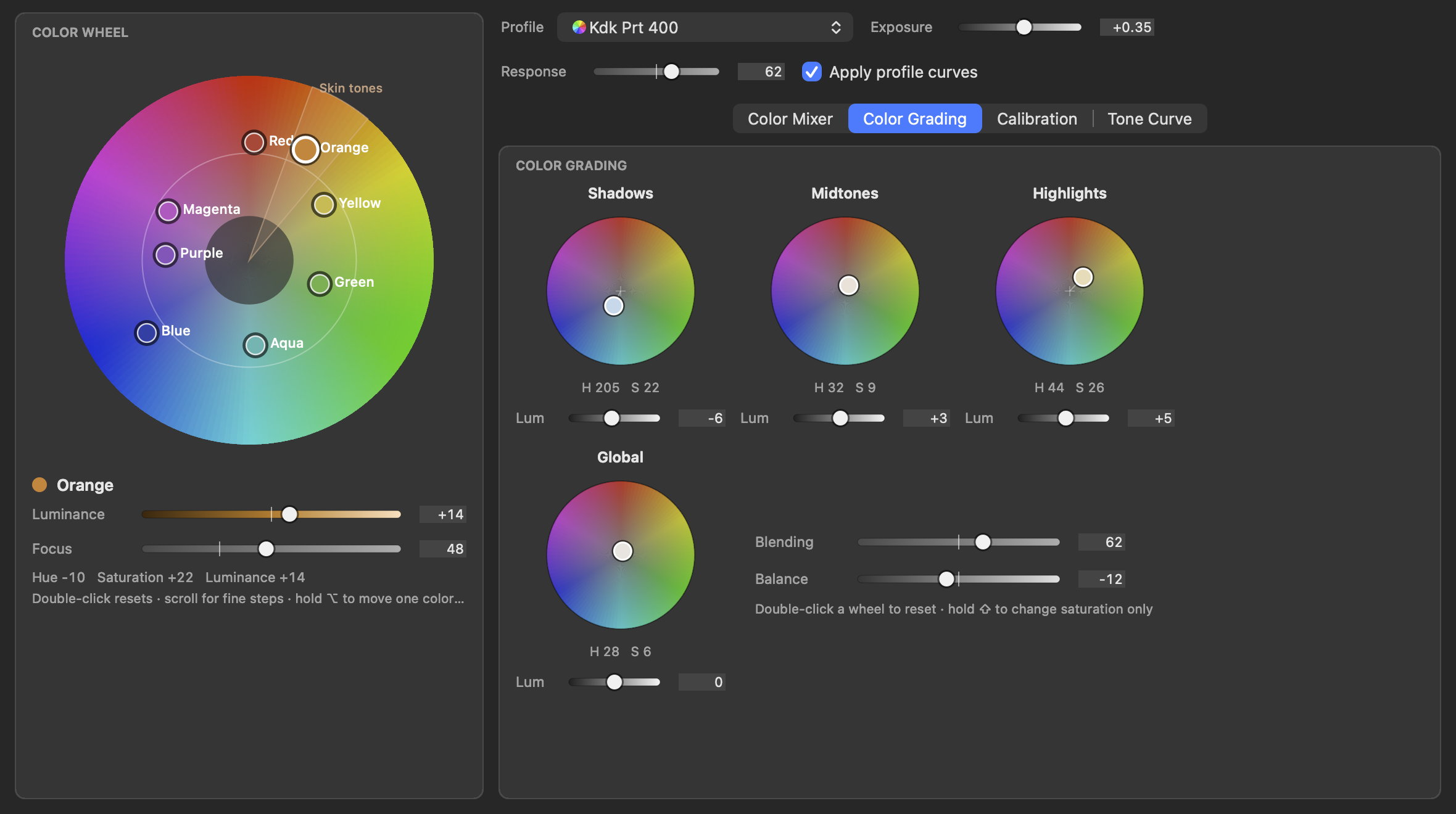
In ACE, each of Lightroom’s eight colors is a point on the color wheel. Move one color and its neighbors follow, just like real film.
02 · One panel
Everything in one place.
Color Mixer, Color Grading, Calibration, Tone Curve and Exposure sit in the same window, with a live preview in the Lightroom image and undo right in the panel.
03 · Guided Mode
Color harmony,
step by step.
Not sure where to take the colors? Guided Mode takes you to a coherent look in short lessons. Each step points to the right slider, marks the target and checks itself off once you get there.
Lessons and looks
3 basic lessons such as Teal & Orange or Monochromatic Blue, and 9 looks such as Golden Hour, Moody Forest, Nordic Cold, Portra Pastel and Blue Hour.
10 color harmonies
From Complementary to Analogous, Triadic and Teal & Orange: the color wheel shows the harmony as zones around a base color you rotate freely. A vectorscope shows where your photo’s colors sit.
Your palette as the target
The guide reads your photo’s color palette, shows the target with a preview and works out which sliders to move and how far. A match score shows how close you are, and Apply Suggestions applies everything at once.
Protect skin tones
Mark skin in the palette or pick it with the Skin Dropper. It lands on the skin tone line instead of being pulled into the look, so it stays natural, even with Teal & Orange.
04 · Works the Lightroom way
Stays in Lightroom.
ACE opens next to Lightroom Classic and writes straight back into it.
Requirements
- Mac with Apple silicon (M1 or later) and macOS 11 or later, or Windows
- Adobe Lightroom Classic
- Internet connection for activation
05 · How to join
Three steps to get started.
- Get the beta: Open the link and complete the order. It costs 0 CHF.
- Check your email: You’ll receive the download and a license key by email.
- Install: Run the installer, restart Lightroom Classic and enter your license key.
You can then test ACE with all features for 14 days.
06 · Installation
A warning is normal.
The beta isn’t verified with Apple and Microsoft yet. So the first time you open the installer, your computer shows a security warning. You confirm it in a few clicks, and only once.
On a Mac
- Close the warning with “Done”.
- Open System Settings > Privacy & Security and scroll down.
- Click “Open Anyway” next to the installer and start it again.
On Windows
- If “Windows protected your PC” appears, click “More info”.
- Click “Run anyway”.
07 · Feedback
Tell us what you think.
That’s what the beta is for: we want to know what you like, what’s missing and where something doesn’t work.
Write to us at [email protected].
If something goes wrong
- Your operating system and Lightroom Classic version
- What you did and what happened
- A screenshot, if possible


